Air Fryer Troubleshooting Loud Fan Noise
If your air fryer’s fan is loud, measure dBA at a fixed distance (≈1 m). Closed operation is usually 50–55 dB; single-basket 47–54 dB; dual-fan 50–51 dB; and basket access can hit ~68 dB. If levels exceed specs, power off and inspect blade balance, mounts, spacers, and washers for play or contact. Run low-power checks to localize scraping versus aerodynamic noise.
Log model/serial and measurements. Follow the checklist below to troubleshoot further.
Quick Overview
- Measure noise with a calibrated meter or reliable app at 1 meter, record steady dBA, peak, and Leq values three times.
- If closed operation exceeds approximately 50–55 dB or basket-open approaches approximately 68 dB, inspect for loose parts or imbalance.
- Power off and hand-rotate the fan to check blades for warping, cracks, or deposits causing wobble.
- Verify motor mounts, spacers, and washers for vertical play or looseness; tighten or replace as needed.
- If readings exceed model/serial specs or remain above 65 dB, log serial number and contact manufacturer support.
Decibel Levels Comparison Table
How loud is your air fryer compared with others? You’ll use a noise comparison of typical decibel ranges to assess whether yours sits in normal bounds or needs inspection. Closed operation usually runs 50–55 dB; with basket access, it jumps to about 68 dB. Compare your model to the table below.
| Type | Noise (dB) | Note |
|---|---|---|
| Single-basket | 47–54 | Quietest range |
| Dual-fan/drawer | 50–51 | Both fans running |
| Basket open | ~68 | Basket access increases noise |
If your unit exceeds listed ranges, inspect for loose components, fan imbalance, or metal contact. Persistent levels above 65 dB suggest further diagnosis, despite normal fan cooling function.
Fan Speed & Vibration Checklist
If your decibel check flagged higher-than-normal noise, run this fan speed and vibration checklist to pinpoint causes and safe fixes. You’ll perform focused tests to separate normal high-speed operation from faults that create fan vibration or rattling. Use two word discussion ideas like “blade balance” and “mount integrity” when documenting findings.
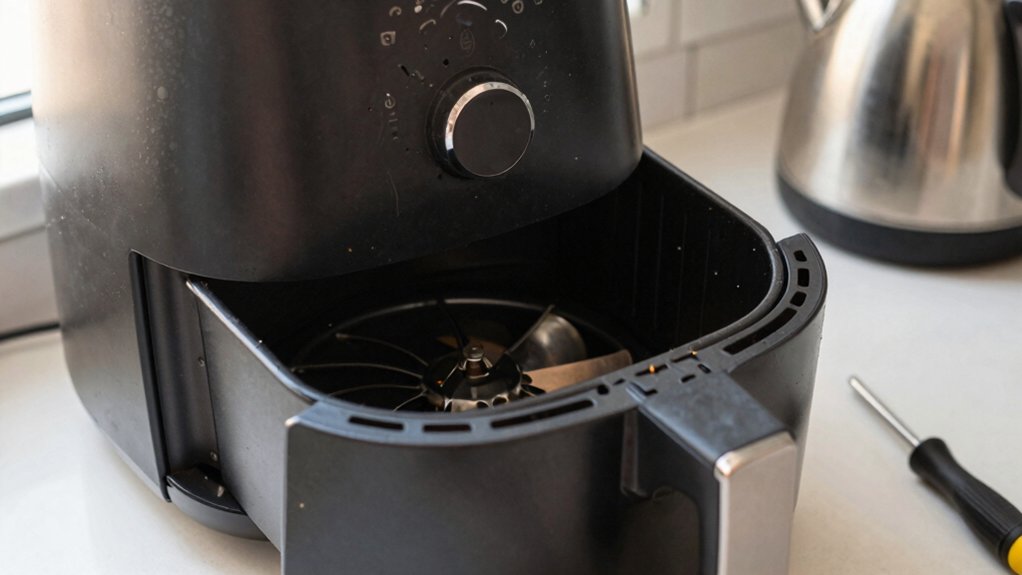
- Inspect blade: Power off, visually check for warping, cracks, or deposits causing imbalance. Rotate by hand to feel wobble.
- Check mounts: Verify motor mounting, spacer and washer presence. Press gently to detect vertical play indicating loose motor mounting.
- Listen for contact: Run at low power and localize metal-to-metal scraping versus aerodynamic fan noise. Tighten or replace offending parts.
Model/Serial-Specific Noise Thresholds
Check the manufacturer’s noise specifications for your model and compare them to measured decibel readings taken at a consistent distance with a calibrated meter. Note that allowable thresholds can vary by model and even by serial-number batch. Therefore, record your serial number when checking published limits or warranty noise clauses.
If your measurements exceed the model-specific or warranty thresholds, document the values and contact support for warranty evaluation.
Manufacturer Noise Specifications
Wondering what noise level is acceptable for your specific Airfryer model? Check the manufacturer specs first; they often list operational noise ranges tied to model and serial groups. You’ll find a declared maximum dB value that defines normal operation versus an outlier requiring service.
Use that spec combined with notes on user comfort: if measured noise approaches the upper limit and bothers you, treat it as unacceptable even if within tolerance. Record model/serial, the stated threshold, and observed behavior (steady fan tone vs. rattling/grinding).
If observed characteristics or levels exceed the spec, contact support with the exact numbers and symptom description. Manufacturer specs guide decision-making and determine warranty coverage for noise-related faults.
Decibel Measurement Methods
After you’ve noted the manufacturer’s declared noise limits for your model and serial group, measure sound levels with a consistent method so you can compare readings to those specs. Use a calibrated sound meter or a reliable smartphone app verified against a reference device.
Place the meter at a fixed distance (e.g., 1 meter) and angle from the air fryer intake. Replicate room background conditions and record A-weighted decibel measurement (dBA) during steady-state operation. Log peak and Leq values, and repeat three times to confirm repeatability.
Note room reflections and ambient noise; document them alongside readings because noise perception varies with spectrum and context. Compare logged values to the manufacturer’s spec sheet for that model/serial group to determine compliance.
Model-Specific Thresholds
How do you determine whether your air fryer’s noise is within acceptable limits for its specific model and serial group? Start by checking the manufacturer’s model-specific documentation or support site for published noise thresholds; these often cite decibel ranges for normal operation.
Record your unit’s serial number and compare its production batch notes if available. Some batches have documented variations in acoustic performance. Measure with a consistent decibel method at a fixed distance and operating mode. Then match readings against the model-specific threshold.
If your measured level exceeds published limits, escalate with serial number details to support. They can confirm whether your unit falls within expected variations or requires inspection, repair, or a component-level remedy.
Serial Number Variations
Why does one serial batch hum louder than another? You compare serial number ranges to trace manufacturing changes: different runs may use alternate motor suppliers, revised mounting brackets, or updated fan molds.
When diagnosing, log the unit’s serial number and cross-reference your findings with production notes or service bulletins. You’ll find patterns where a specific range shows higher baseline noise due to reduced part durability or subtler dimensional tolerances.
Use targeted inspection for known weak points in those ranges: motor mounts, blade geometry, spacers—rather than broad disassembly. Document measured decibels, component wear, and any deviations. This lets you determine whether noise stems from acceptable fan operation or from serial-specific assembly or material issues that warrant focused corrective action.
Warranty Noise Limits
Knowing which serial ranges tend to hum louder helps you set model- and batch-specific expectations for allowable noise under warranty. You should measure decibel output at standard operating conditions and compare readings to documented warranty limits for that model/serial block. If measured levels exceed thresholds, document time, temperature, and firmware version. Then submit a claim with audio samples and serial details.
Be aware of coverage exceptions: damage from drops, tampering, or aftermarket parts can void noise-related claims. For borderline cases, the manufacturer may request in-factory verification; retain packaging and proof of purchase to speed evaluation. Use calibrated meters, record multiple cycles, and note whether noise is consistent with normal high-speed fan operation versus rattles or metal contact.
Frequently Asked Questions
Can Loud Fan Noise Damage My Air Fryer Over Time?
Yes, persistent loud vents and cooling fans can indicate issues that may cause wear or damage over time. If noise stems from normal high-speed cooling fans, it is usually harmless but stresses bearings and mounts.
If noise comes from imbalance, loose parts, metal contact, or motor movement, vibration accelerates wear; this risks failure. You should inspect, tighten, or service the unit to prevent long-term damage and restore normal operation.
Can I Use Noise-Dampening Mats Under the Appliance?
Yes, you can use noise dampening mats under the appliance to reduce vibration-transmitted noise. Choose a heat-resistant, non-slip mat placed on a flat, stable surface; avoid covering vents.
Placement tips: Leave airflow clear around the rear and top. Center the fryer on the mat to prevent tipping. Test for reduced rattles. Mats help with surface-borne noise but won’t fix internal fan imbalance, metal contact, or motor mounting faults.
Does Louder Fan Noise Affect Cooking Performance?
No, a loud fan won’t usually harm cooking performance. You’ll still get designed airflow and heat distribution because the fan’s high RPMs sustain convection and humidity removal.
However, if noise comes from loose parts, blade imbalance, motor movement, or metal contact, those faults can alter airflow patterns or cause intermittent power loss. This can degrade cooking performance. Inspect for mechanical issues; loud fan noise alone is typically a nuisance, not a performance killer.
Are Replacement Fans Readily Available for Older Models?
You can often find replacement parts for older units, but availability varies by model and region. Check factory support first; they’ll list compatible fans, part numbers, and authorized service centers.
If factory support can’t help, search reputable third-party suppliers or appliance salvage sources using model and serial numbers. Inspect mounting and wiring compatibility before buying. Prefer OEM fans to ensure fit, electrical safety, and reliable cooling performance.
Will Warranty Cover Noise-Related Repairs or Replacements?
Yes, your warranty coverage may include noise related repairs or replacements if the noise stems from manufacturing defects or faulty components, not normal fan operation or wear. You should document the issue, note model/serial, and contact Philips support or the retailer.
They’ll assess whether the noise qualifies under warranty terms. Expect inspection, potential repair or unit replacement, and possible denial if noise is deemed normal operation or caused by misuse.
Conclusion
You’ve now got the data and checks to pinpoint why your air fryer’s fan is loud. Use decibel readings, compare them to the model/serial-specific thresholds, and follow the fan speed and vibration checklist to isolate the issue.
If measured noise exceeds the manufacturer’s specs or warranty limits, document readings, photos, and serial details. Then contact support for repair or replacement.
Keep measurements repeatable and note any changes after cleaning, balancing, or part replacement.